
Google Analytics in New Power BI
Google Analytics is a web analytics service. It is now the most widely used service by almost every organization. Power BI gives you power of building visualization and dashboard on top of Google Analytics.
Today we are going to show a step-by-step process to connect to Google analytics for Power BI.
Aim: How to connect to google analytics with Power BI.
Pre-requisite: Have google account having access to google analytics. Power BI Desktop installed in the machine.
Step 1: Click on get data.
Step 2: Search google analytic
Step 3: select google analytic.
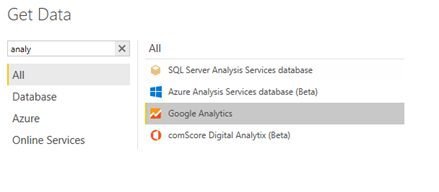
Step 4: Click on connect.
Step 5: Login with google account. Then Navigate to the required data.
Step 6: Select Time folder and inside that select Date dimension here we have selected the date from the time folder select.
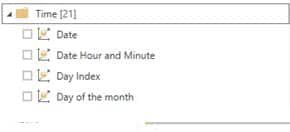
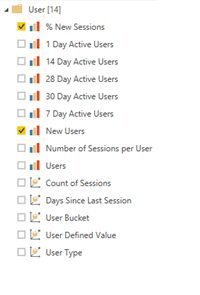
Similarly select other metrics also. From the user folder select fact and dimension.
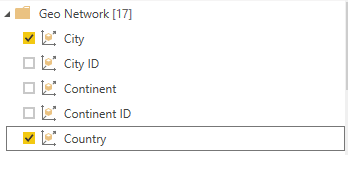
From geo Network, you can select other fields also.
Now we can see the data. And now click on load data.
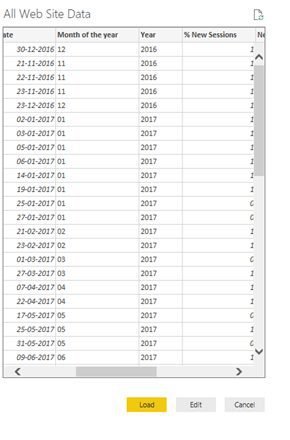
From geo Network, you can select other fields also.
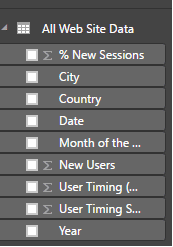
From geo Network, you can select other fields also.

From geo Network, you can select other fields also.

The below screen will get open.
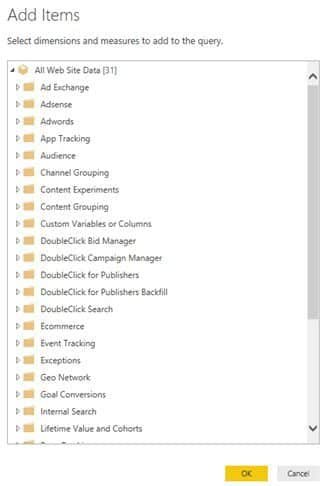
Select data as per your requirement.
Step 8: Now create visualizations in Power BI.
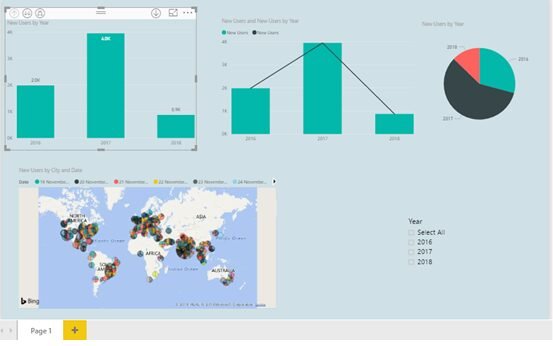
From geo Network, you can select other fields also.